Core Experience
Supporting two Microsoft 365-wide offering areas: consumptive PayGo billing across products and SharePoint storage solutions.
These were not the same workstream. Pay-as-you-go billing asked customers to understand a new consumption model across Microsoft 365 services. SharePoint storage solutions asked admins to understand capacity, lifecycle, archive, policy, and storage decisions inside SharePoint.
My team supported experiences in both spaces. The common design challenge was helping admins make high-stakes operational decisions with enough visibility, predictability, and confidence.
Product question: How do we make cost, capacity, and lifecycle decisions feel understandable before an admin commits to action?
Two areas my team supported
Consumptive billing foundations for Microsoft 365 services, including setup, billing policy, budget, alerts, and service connection patterns.
SharePoint storage management and archive experiences that help admins understand usage, lifecycle, capacity, and policy choices.
1. Consumptive billing / PayGo
PayGo was a foundation for multiple Microsoft 365 products and services. The design challenge was not only setup; it was helping admins understand what had been connected, what could incur cost, who owned the billing policy, where budgets and alerts belonged, and how usage would be monitored over time.
For this kind of experience, clarity matters before conversion. Admins need to understand commitments, consequences, and controls before they turn on a consumption-backed capability.
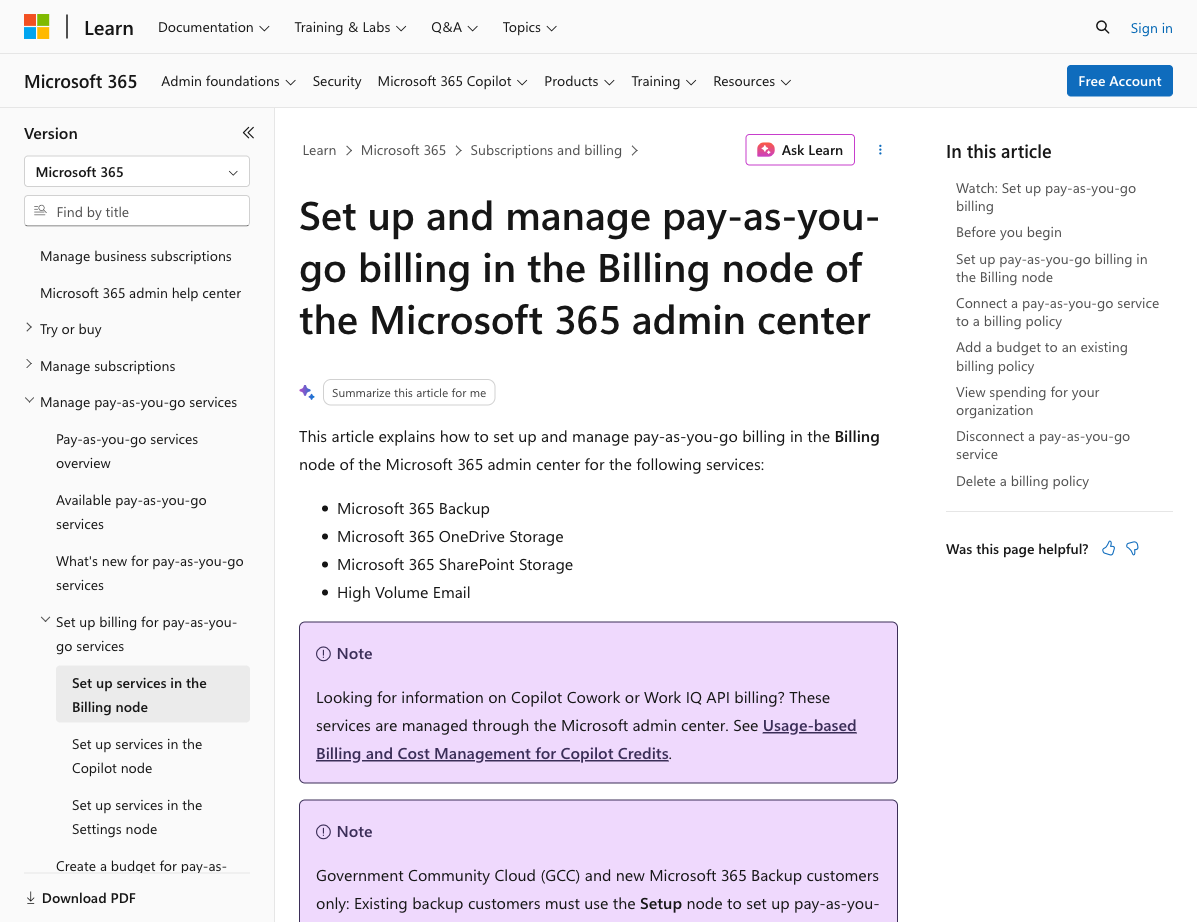
2. SharePoint storage solutions
Storage work asked a different set of questions: why usage changed, which sites mattered, what could be cleaned up, what should be archived, and how lifecycle policies could reduce ongoing operational burden.
The design opportunity was to move storage from a quota or billing conversation into a management experience: help admins understand the state, compare remedies, and act with confidence.
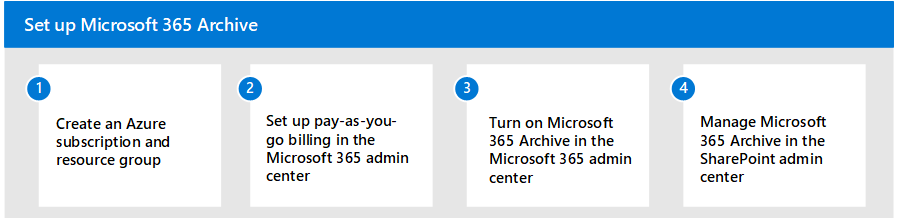
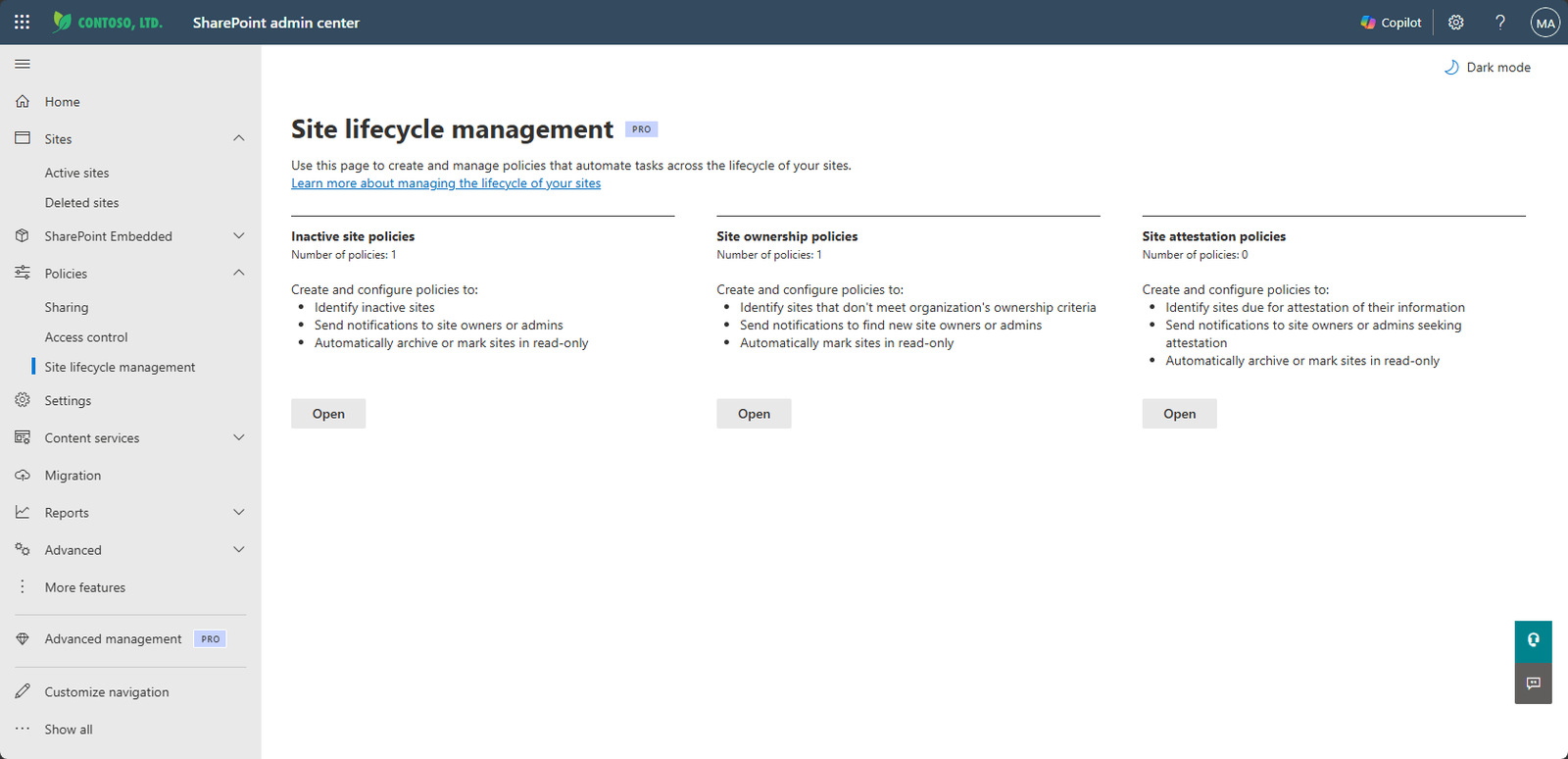
Kept PayGo foundations and storage solutions distinct while making the customer experience coherent.
Focused on what admins need to know before connecting billing, enabling services, archiving sites, or applying policy.
Worked across commerce, admin, storage, lifecycle, and SharePoint surfaces where decisions span multiple product areas.
Made visibility, control, alerts, and predictable action part of the design standard for consumption-aware experiences.
The work was about making invisible systems legible: cost, capacity, lifecycle, and policy all had to become decisions an admin could understand.
Impact
The direction helped clarify two related but different experience areas: Microsoft 365-wide PayGo foundations and SharePoint storage solutions. Across both, the design work emphasized understandable setup, visible consequences, admin control, and reusable patterns for future consumption-aware services.