Governance, Security + AI Adoption
Leading the design team to build organizational trust and transparency across admin experiences.
SharePoint Advanced Management began as a set of advanced admin capabilities for SharePoint and OneDrive: tools to help organizations manage sprawl, lifecycle, access, and oversharing at scale. Then the GPT era changed the stakes. As Microsoft Copilot and agents became part of the enterprise conversation, the same governance work quickly became central to a bigger question: how do organizations use AI safely, securely, and confidently?
That shift changed the design leadership challenge. We were no longer designing isolated admin features. We needed to help the team connect individual feature work into a broader SAM story: a toolkit for organizational readiness, trust, transparency, and control in an AI-powered world.
My role was to help lead that conversation—from feature-level experience quality to the larger product narrative. I pushed the team to ask not only what can the system do? but what is it doing, why is it doing it, and can an admin trust and control the outcome?
Across those surfaces, we saw an important gap between having a capability and feeling confident enough to use it. For an admin, a recommendation that appears from nowhere is not necessarily helpful. An advanced management action without clear scope can create more anxiety than efficiency.
Product question: How might we make powerful AI and governance capabilities easier to understand, inspect, and control—so organizations can adopt them with confidence?
What SAM includes
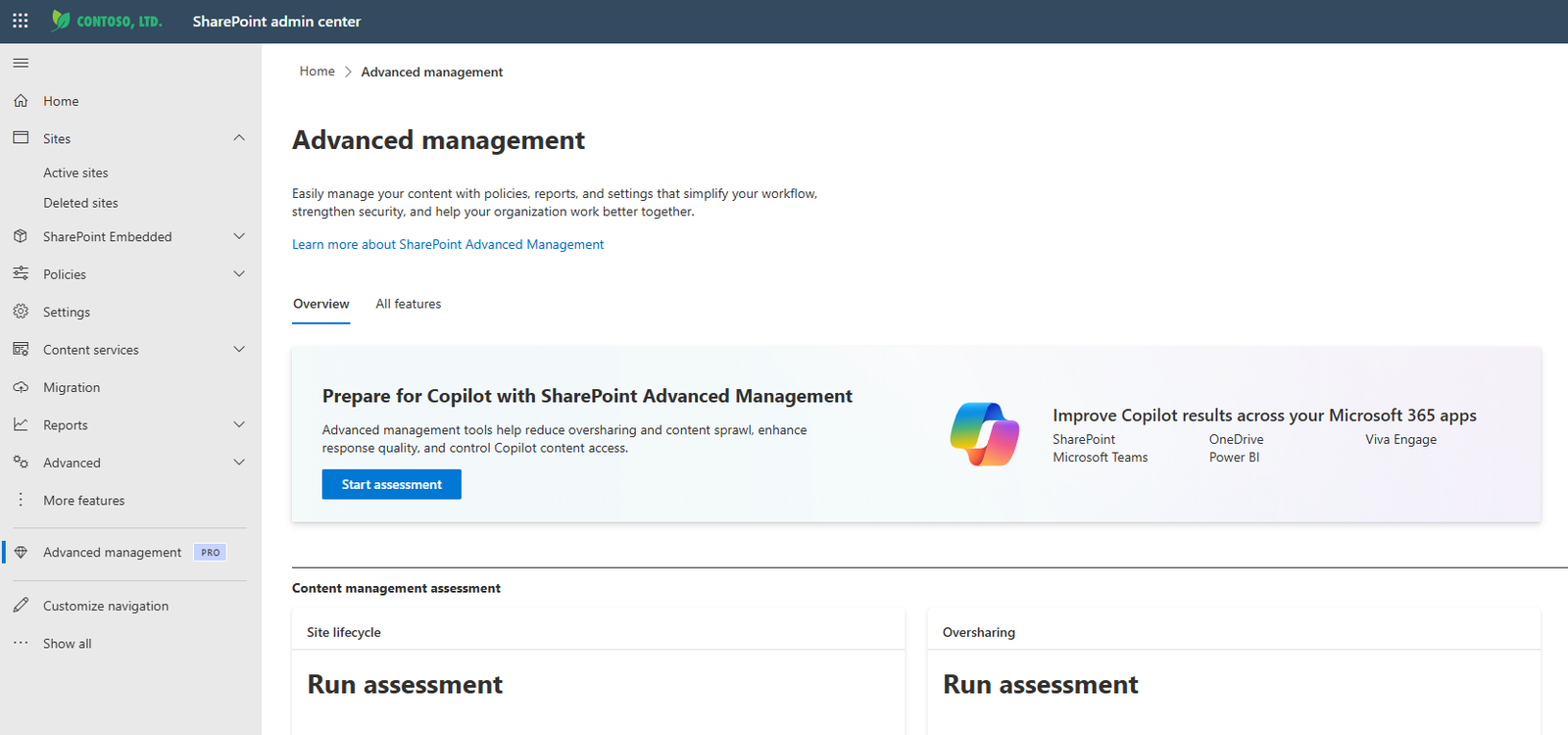
For the portfolio story, it is important to describe SAM as a portfolio of capabilities—not a single product surface. Public Microsoft guidance groups the work into three broad jobs:
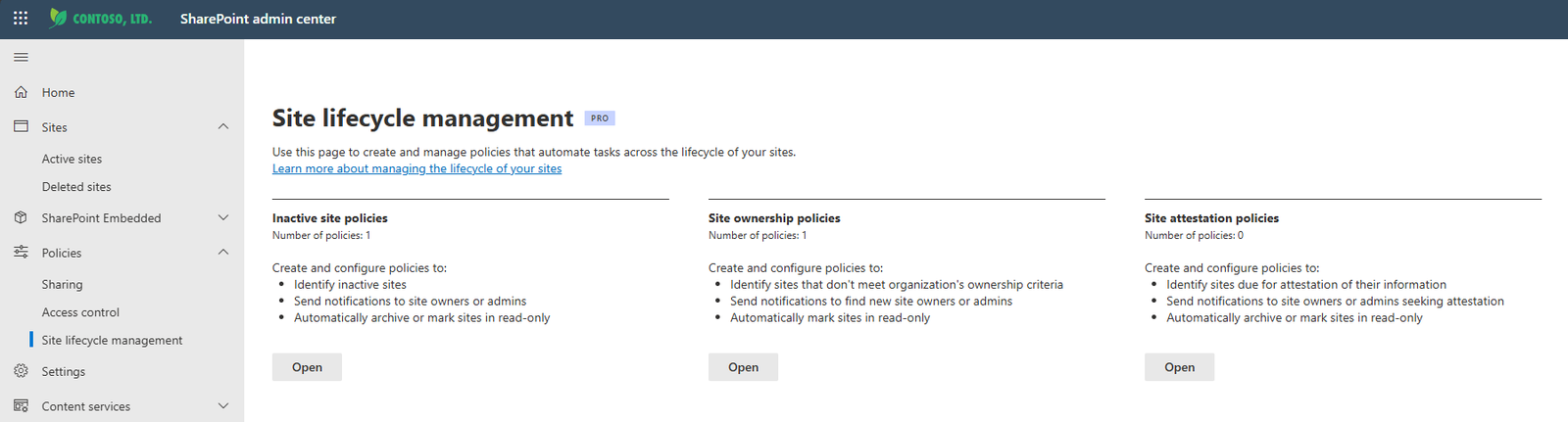
Site ownership policies, inactive site policies, site attestations, and content management assessment help organizations understand whether sites still have clear owners, purpose, and governance hygiene.
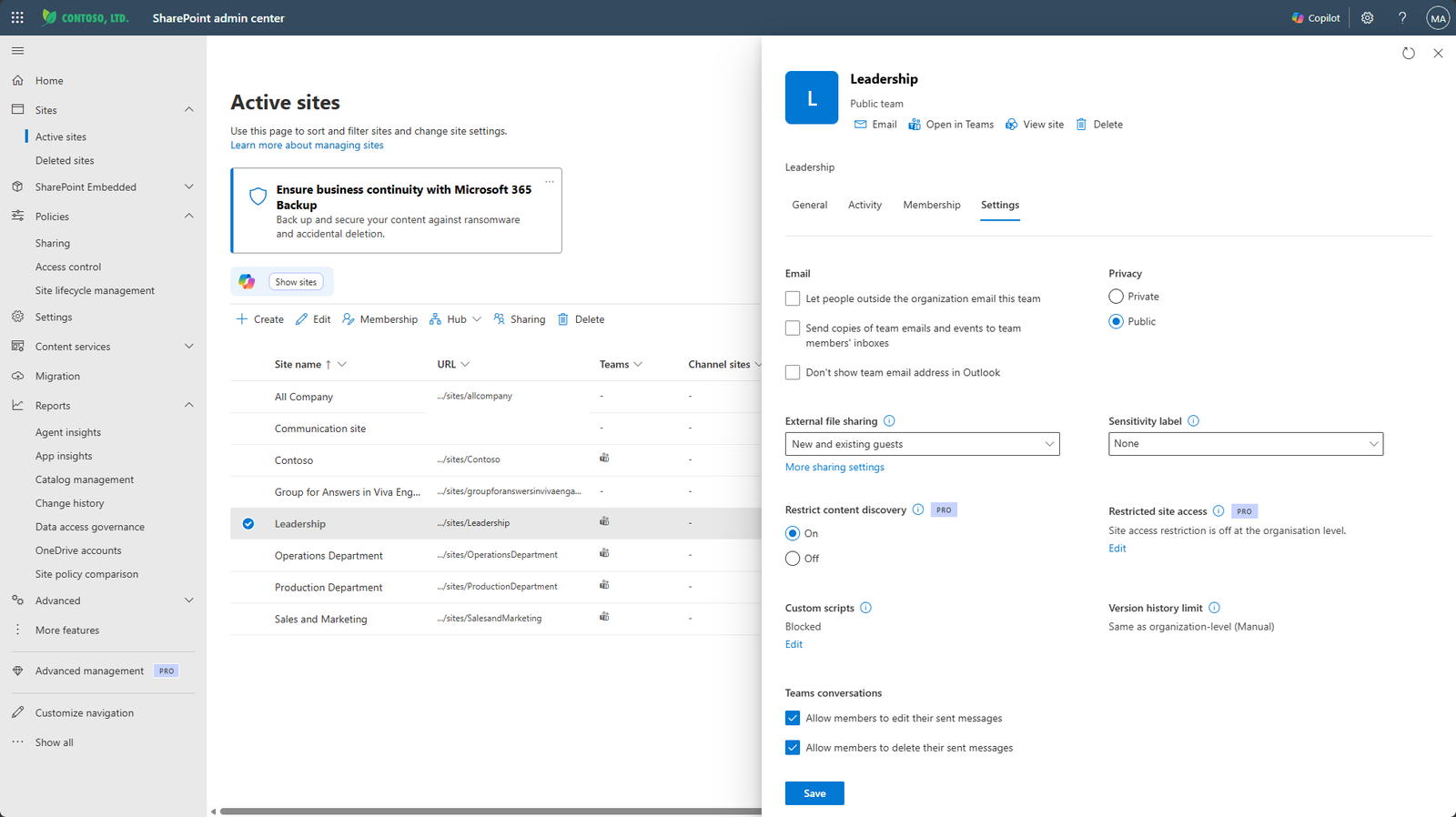
Catalog management, change history reports, recent actions, site lifecycle management, and archive-related paths help admins govern how sites evolve over time.
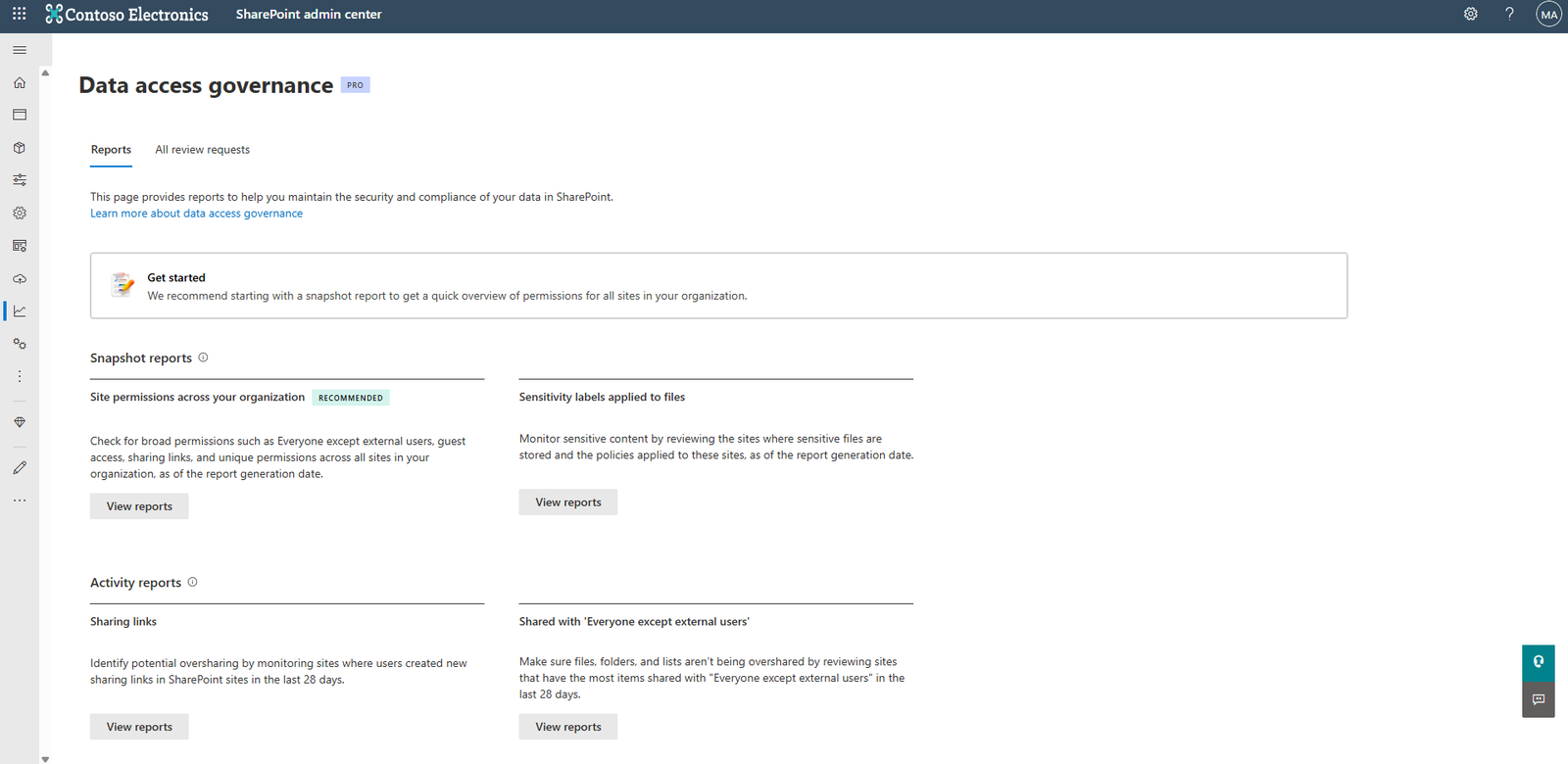
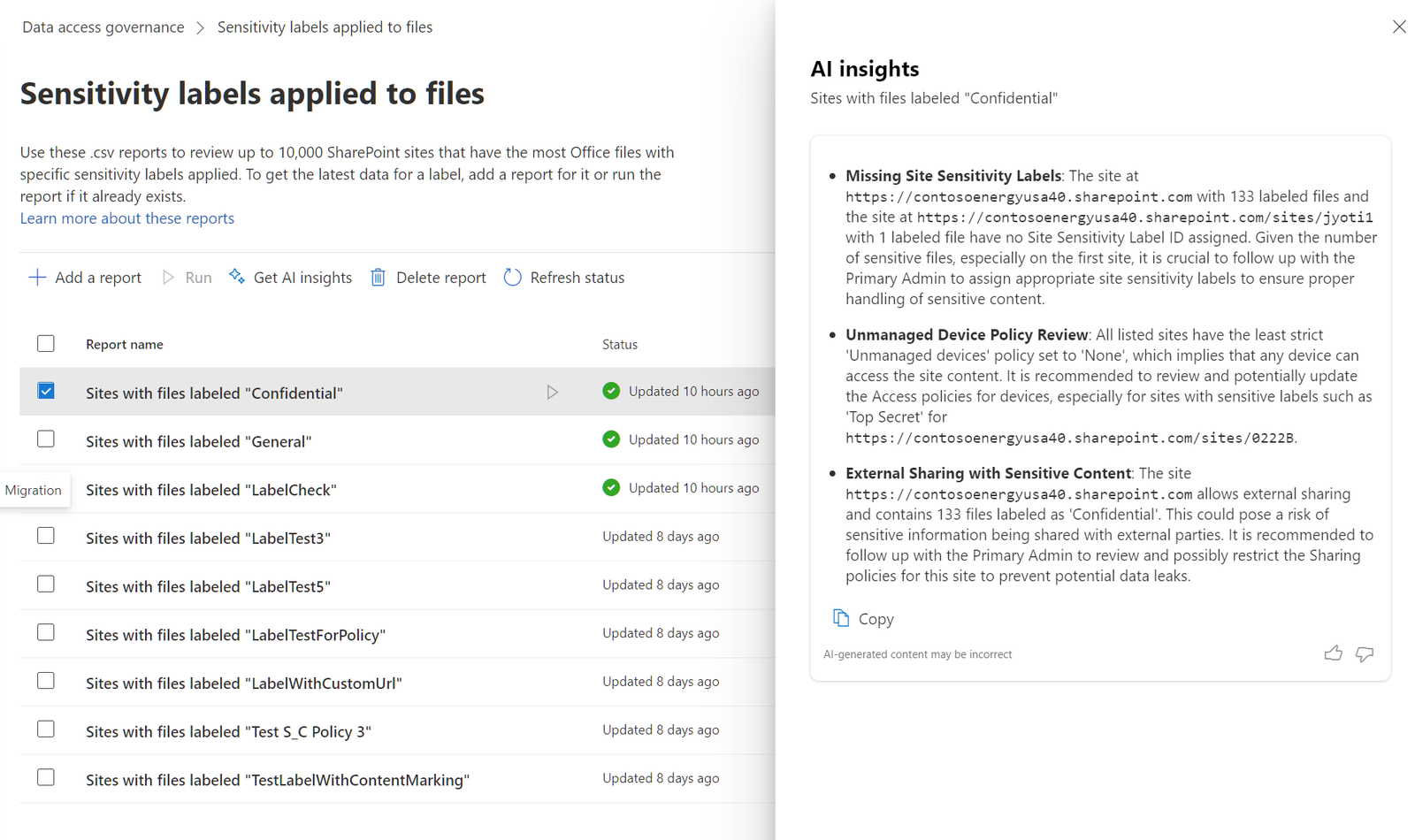
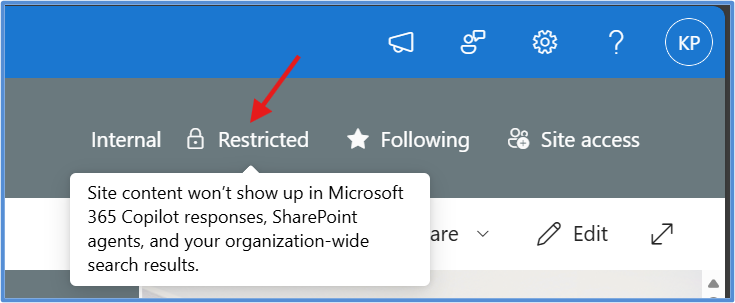
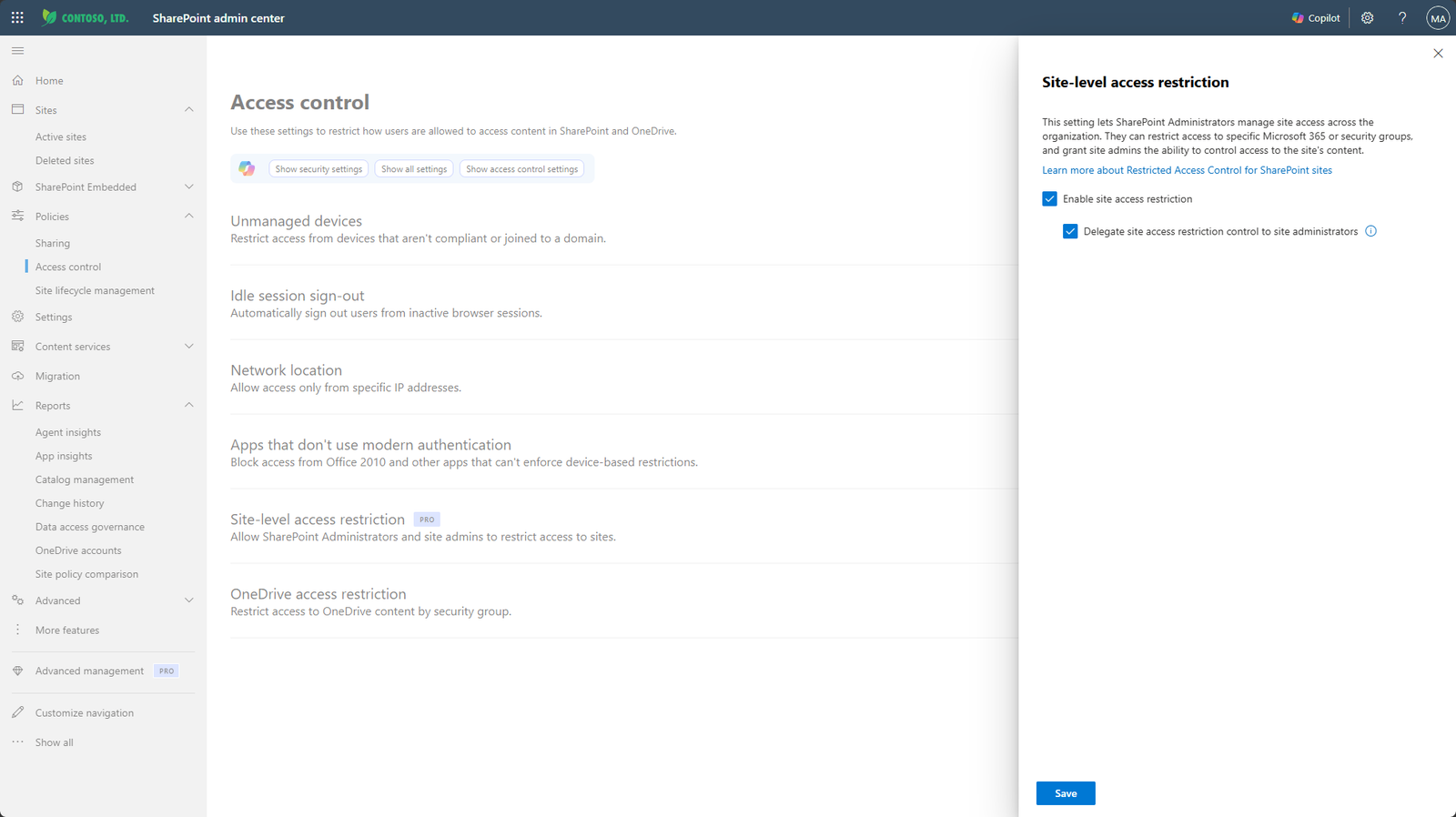
Data access governance reports, Restricted Access Control, Restricted Content Discovery, block download policies, AI insights, agent insights, site access reviews, and policy comparison help admins find and reduce access risk.
The story had to move beyond a feature list
SAM had many strong capabilities. The leadership challenge was helping the team explain how those capabilities worked together: assessment, lifecycle, access control, restriction, insight, and remediation as one readiness system for safer AI adoption.
I pushed the design conversation from “what does this feature do?” to “what does an admin need to understand before they trust this recommendation, approve this action, or let AI help them govern content at scale?”
The design team’s role was to make the ambiguity usable
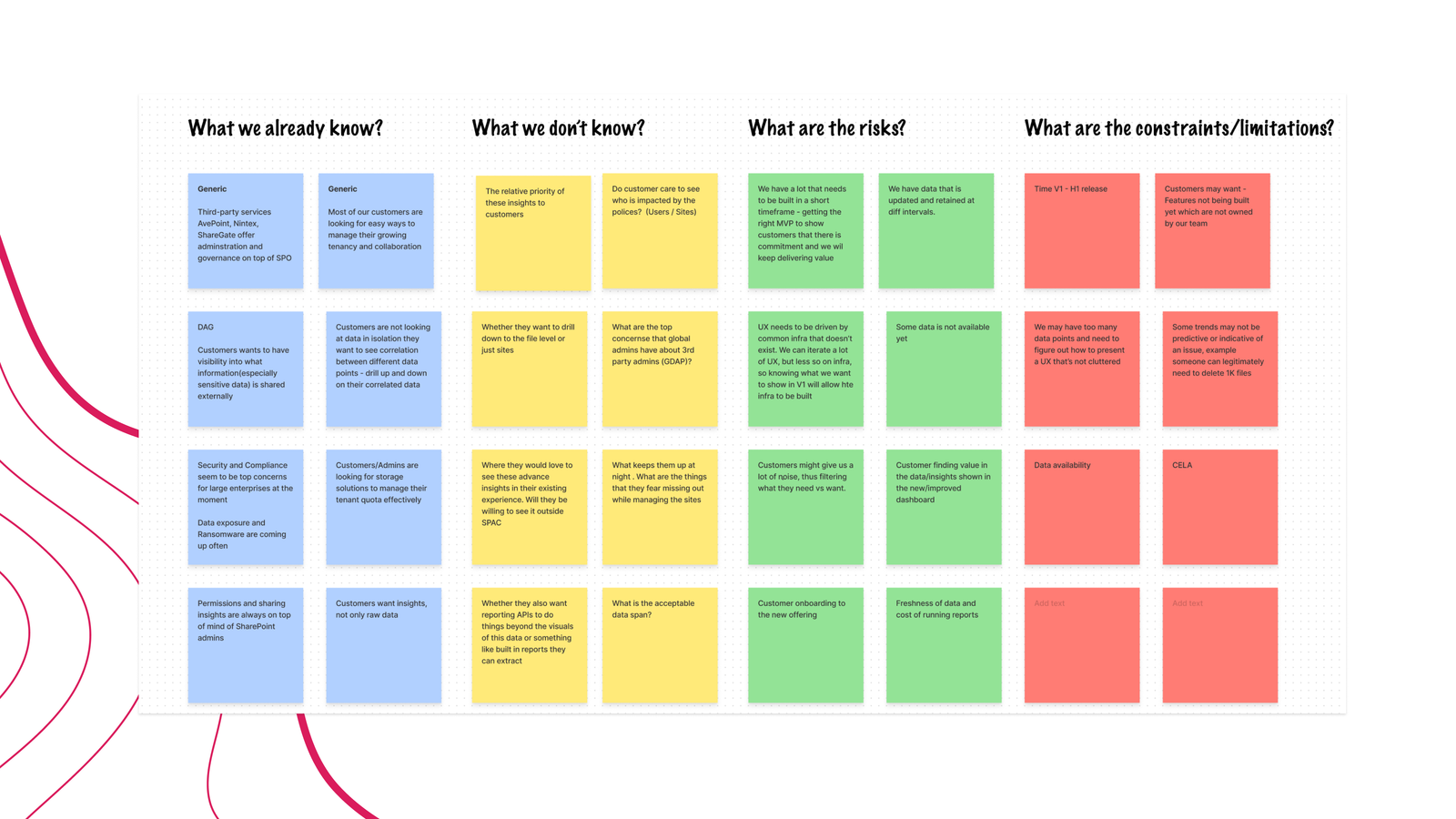
Governance work can easily become a list of features, reports, policies, and edge cases. My role was to help the design team turn that complexity into shared understanding: what we already knew, what we still needed to learn, where the risks were, and which constraints could shape the experience.
We used regular admin research forums to keep the work grounded in how admins actually reason about exposure, permissions, risk, and organizational readiness. We also used multiple experience gate checks to pressure-test whether each direction was understandable, trustworthy, scalable, and worth the admin’s attention.
Created a recurring space to hear how admins described risk, confidence, and governance needs in their own language.
Reviewed whether concepts were understandable, trustworthy, and ready to scale before decisions hardened.
Looked across SAM capabilities so each surface did not invent a new model for assessment, action, or audit.
Focused AI on places where it could reduce interpretation effort, reveal patterns, and recommend practical next steps.
The trust questions we kept coming back to
A big part of my role was making the work easier to see across boundaries. I helped designers, PMs, and partner teams in different geos understand how the pieces they were shaping connected to the larger SAM story: which patterns could scale, where customization was necessary, and where the experience needed stronger stitching.
I brought designers together through regular workshops, focused sprints, and cross-geo shareouts so the work pointed toward one goal. With product partners, I pushed design to contribute to strategy, not just react and execute.
The journey had real challenges—miscommunication, alignment gaps, slow delivery, and frequent pivots. I am proud that the team navigated that complexity with a stronger One Microsoft spirit.
Advanced management as a continuum
That led us to think about advanced management as a continuum rather than a single mode. Some situations call for visibility. Others need a recommendation, an approval step, a policy, or a restriction. The right experience depends not only on what the technology can do, but on the consequences of getting it wrong.
The goal, then, was never more controls for their own sake. It was confident advanced management.
Technology earns trust when its capabilities are understandable, its actions are visible, and its consequences are recoverable. For us, that became the foundation for designing admin experiences ready for a more AI-powered world.